That’s a mouthful! I couldn’t find a useful way to title this post. I wanted to find the right keywords that would bring you here, but, I wanted to be truthful. So, forgive the over-use of parenthesis 🙂
Hi friends! Welcome Back!
We’re picking back up in the Copilot conversation. A had a couple posts back in December, and just last month I posted about how I use Copilot Analyst to do some really good analysis and reporting. You can find that post and read more here:
Today, I want to circle back to that conversation and talk a bit about how to manage, or govern, these Microsoft First Party offerings. Let’s get started.
Reality Check
I’ve learned something the hard way: most IT admins aren’t afraid of AI — they’re afraid of surprises. So when Microsoft introduced Analyst and Researcher inside Microsoft 365 Copilot, the first reaction I heard wasn’t excitement. It was: “Okay… but how do I control this?” That question is reasonable. And the honest answer is: you can control it — just not in the way many of us initially expected.
Most of the confusion I hear around Analyst and Researcher exists because we keep thinking about them like custom agents, when Microsoft clearly treats them as core Copilot capabilities. These aren’t “just agents” — and that’s intentional
Yes, they’re called agents. Yes, they appear near other agents. But Analyst and Researcher are first‑party Microsoft experiences that live inside Copilot Chat itself. They inherit the same Microsoft 365 commercial data boundary, security, compliance, and identity protections as Copilot Chat.
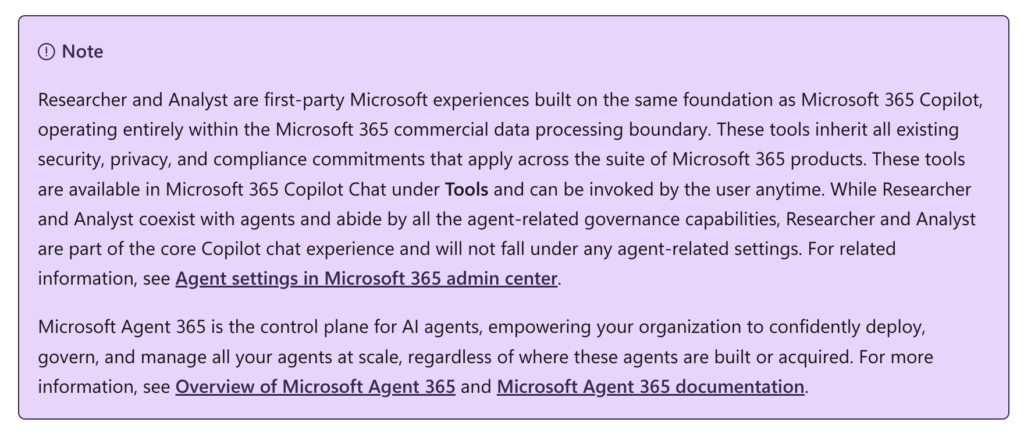
Once you internalize that, a lot of the behavior that feels confusing starts to make sense. Maybe to help reinforce this, when you navigate to M365 Admin Center -> Agents and you see first party experiences like Analyst and Researcher sitting alongside other agents but they are described differently.
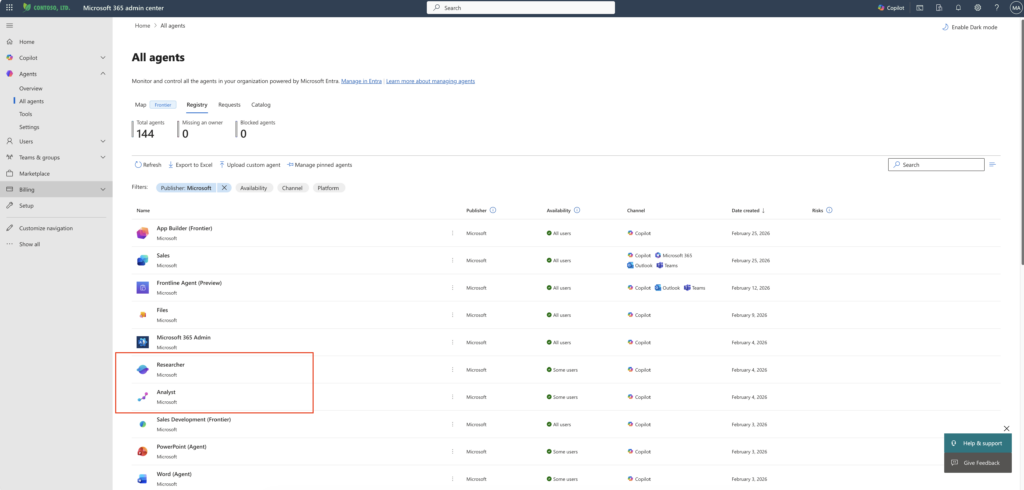
Why “decoupling” confused a lot of people
In late 2025, Microsoft made a change. Microsoft “decoupled” Analyst and Researcher from the global “agents on/off” switch. This startled a few admins who thought something broke! It didn’t. This was addressed in a Message Center Post – MC1185442.
- TLDR: Researcher and Analyst will remain accessible in M365 Copilot Chat via tools, even when Copilot agents are disabled in Agents Settings for some or all users.
Microsoft made a deliberate call: these tools are foundational. They didn’t want organizations accidentally disabling the most valuable Copilot reasoning capabilities while trying to be cautious. Analyst and Researcher are treated as foundational reasoning tools, not experimental add‑ons. That’s why disabling “agents” doesn’t automatically remove them.
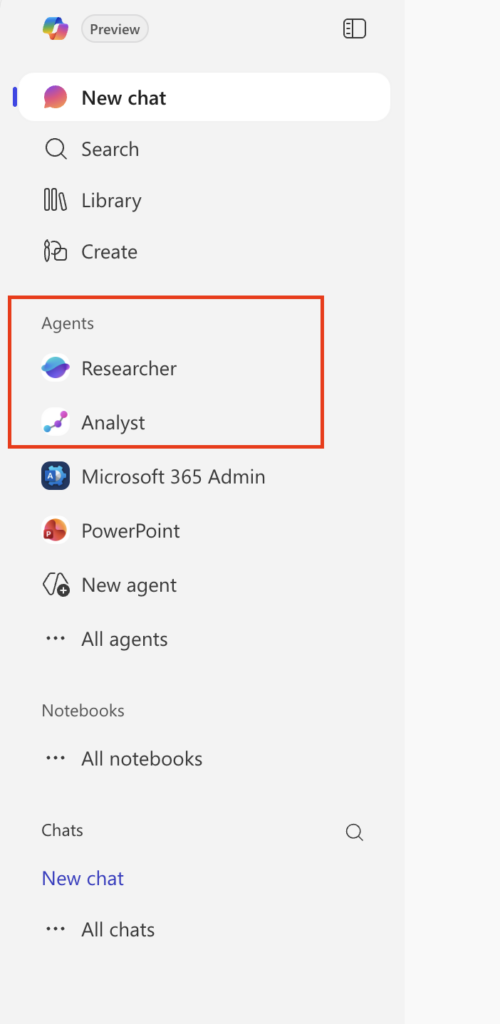
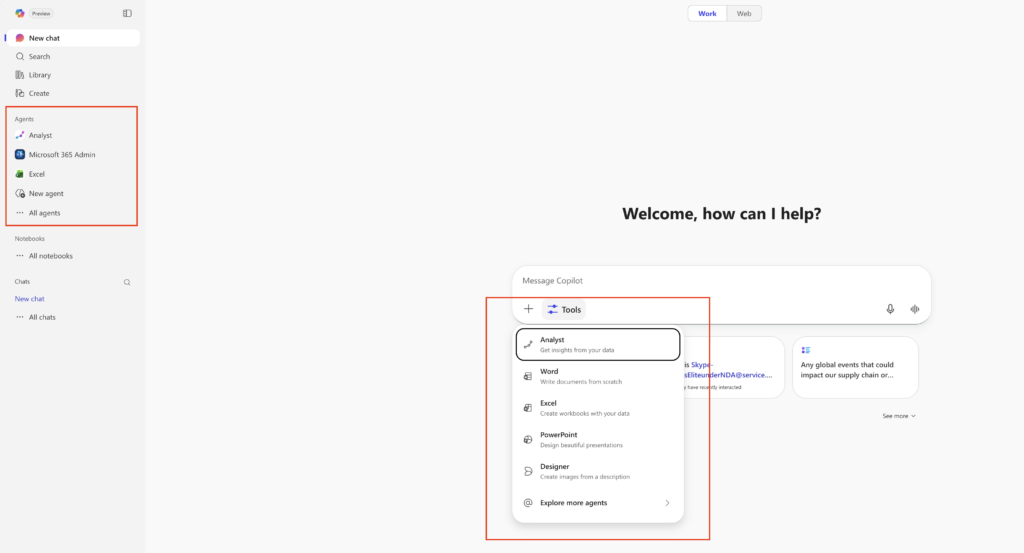
So, in M365 Copilot Chat, you can see Researcher and Analyst in the left-rail like this:
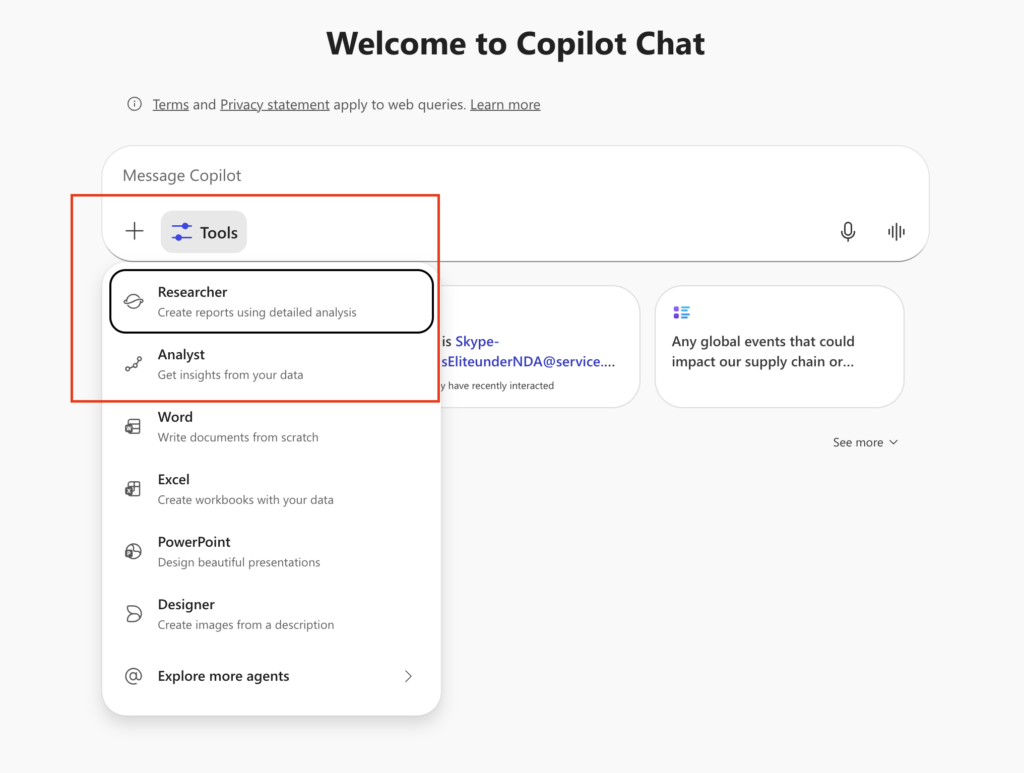
But, they also show up in Tools like this:
So can we control anything?
Okay – Uncle DW – what if I want to disable Agents? You said that doesn’t disable these experiences like Researcher & Analyst, right? Right. Let’s navigate to M365 Admin -> Copilot > Settings -> Data Access -> Agents and turn off agents for everyone.
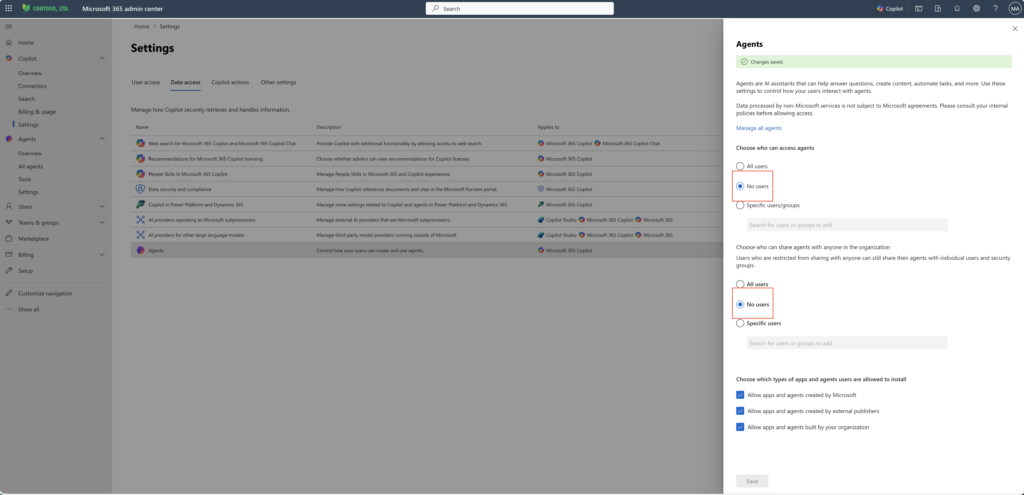
Now when we go back to Copilot Chat, there are no agents!
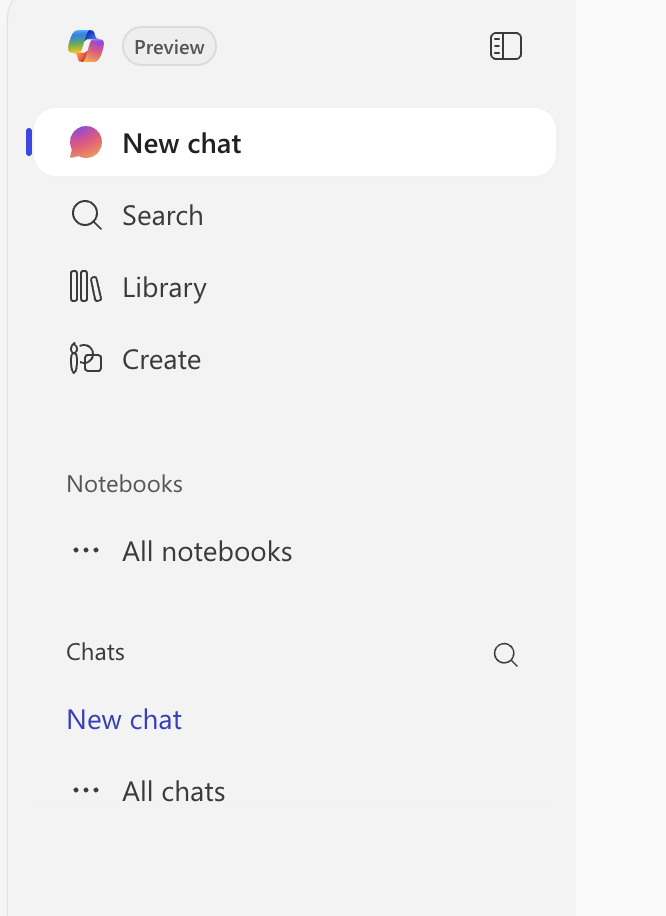
You did it right? Not so fast. Click on the Tools button in the Chat interface.
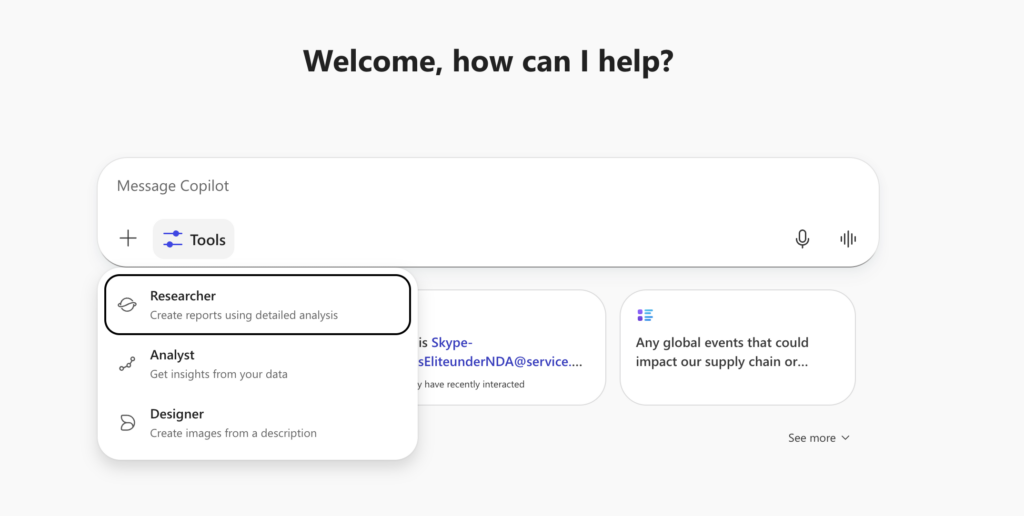
Still there! They are “decoupled” – remember?
Now what? Well, you can explicity block them. Let’s turn the agents back on that we turned off just above. Then navigate back to M365 Admin -> Agents -> All Agents. You can Block – for example – Researcher.
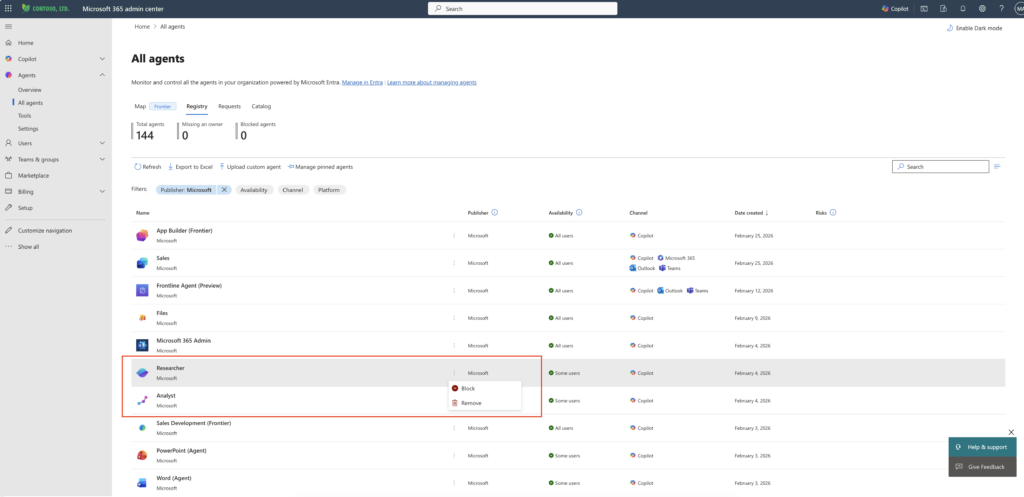

And that truly, explicity, removes Researcher from both the left-rail, and from the tools menu.
So. Broad agent controls do not block Researcher and Analyst. True.
Specific blocking still exists. Also True.
Decoupled. Bingo.
Wrap Up
Let’s wrap up starting with a few short Mythbusters bullets
Myth: Turning off agents disables Analyst and Researcher
Reality: They’re core Copilot experiences and remain available via Tools unless explicitly blocked.
Myth: Rearcher and Analyst are just custom agents
Reality: They are first‑party reasoning capability inside Copilot Chat.
Myth: Seeing it means IT enabled it
Reality: Visibility ≠ access ≠ licensing.
And as a final thought, good governance isn’t about stopping progress. It’s about removing surprises while still letting companies move forward.
Analyst and Researcher feel different because they are different. They represent Microsoft saying: this level of reasoning is now part of everyday work.
If your organization already trusts Copilot Chat, these tools shouldn’t feel reckless. They should feel like the next logical step — governed intentionally, not reflexively blocked.
Until next time… Be well friends.
1 thought on “My Sandbox 365: First Party (1P) Microsoft Agents (Experiences) Admin Thoughts”
Comments are closed.