Hey friends! It’s me! Your friendly neighborhood communications & collaboration blogger. It’s a new year (FY26!) at Microsoft and this year I’m stretching a bit and engaging in our full AI Workforce solution stack including Copilot. This is a big learning curve for me. I speak native protocol. I’ve spent most of my career focused on Networking, Phone, Meetings, and Devices as a technology stack. This shift into the AI world has been a steep learning curve for me, but, I have some fresh perspective and want to end the year (and start 2026) on a learning high point.
As I started my career, and through my various college and grad school degrees, I’ve found a lot of success when I can take a subject (any subject) and personalize it. I need to believe it. I need to experience it. I need to break it down and then from there I can tell a story. I can find patterns. I can find insights. I can connect the dots and help friends, students, ministry congregants and even technical customers get both “unstuck” and “accelerated” on their path to – wherever they are going. This is my super power.
So, I’m taking this to Copilot. I’m going to take the next X# (TBD) of blog posts to share some of my personal use cases of how I use Copilot in my day to day. As I explore the “what” – I hope to add additional value with the “so what” and maybe even convince you that AI isn’t going to take your job, steal your babies, eat all your food, and expire your extended warranties. It may actually give YOU some new perspective in your day-to-day. Let’s jump in.
Scenario – Customer onsite
Very recently, I traveled to one of our customers HQ in sunny Texas. Let’s call them – Contoso 🙂 I have been engaging with this customer for the last little while to help them navigate their traditional on-premises footprint to Microsoft cloud technologies like Entra Identity, Exchange Online (Hybrid) and even Microsoft Teams. This has been a long arduous journey as it’s required a lot of discovery and education to get from here to there. It’s a lot to absorb in a short period of time. I was asked to attend an onsite all-day meeting for Q&A and any other stump-the-chump that came up along the way. They were preparing for a Skype -> Teams go-live in a few weeks and this onsite meeting was a great way to build equity but also have focused time together to knock off their top-of-mind items.
Before I arrived at Contoso HQ, I received an email from the project PM with a short agenda of topics to address together. These were:
- Connection Issues & Drops
- Is it a known Microsoft requirement that both the 443/signaling connection and the 3478 – 3781/UDP connections source from the same client (Contoso) IP? Can the two connection types source from different Ips?
- Conference room phone issues
- Client Updates
- Can the Teams version be updated by policy for all user profiles?
- How to handle meeting room PCs (users that don’t login very often. How do we upgrade the app?
- Do we need to periodically update the Teams client on PCs that do not have a user logging in often? Thinking of conference PCs or loaner laptops. If nobody has logged in for let’s say 3 months or even more, will there be any issues with the Teams client being beyond a certain version where it will not self-update?
- Troubleshoot poor quality for conference and voice calls (like a Skype activity log equivalent)
- Is there a way to report on specific users or groups of users call quality through PowerBI?
- Presence not syncing (it gets stuck on Away or Presenting) – we have a support case open.
- For users with an @subdomain.contoso.com what stuff do we need to do to use Teams?
- Chat Storage
- 1:1 chats – users Outlook shadow mailbox?
- Group Chats?
- Meeting Chats?
- Recordings and transcriptions – oragnizers OneDrive?
This simple email bulleted list turned out to be a very helpful agenda to focus our all-day onsite.
Day Of – Customer onsite – All Day
The day arrived bright and early. I was accompanied to the Contoso HQ by a couple colleagues who are part of the Customer Microsoft account team. We went to a conference room and there were somewhere between 10 and 15 of the Contoso team that were with us throughout the day. We made introductions and I had a whiteboard I could use for any drawing, notes, or parking-lot (homework items) to address along the way. As we got started, I referenced the above bulleted list and we agreed this would be a good place for us to focus our time.
I won’t bore you with the play-by-play of an 8 hour onsite meeting, but, it was a great set of conversations. Many of the topics I could address directly through my experience and subject matter expertise. But others required a different approach. Multiple times throughout the day, I would open the Microsoft 365 Copilot App I have installed on my Mac and simply prompt Copilot with the question that was asked. Verbatim. Like this:
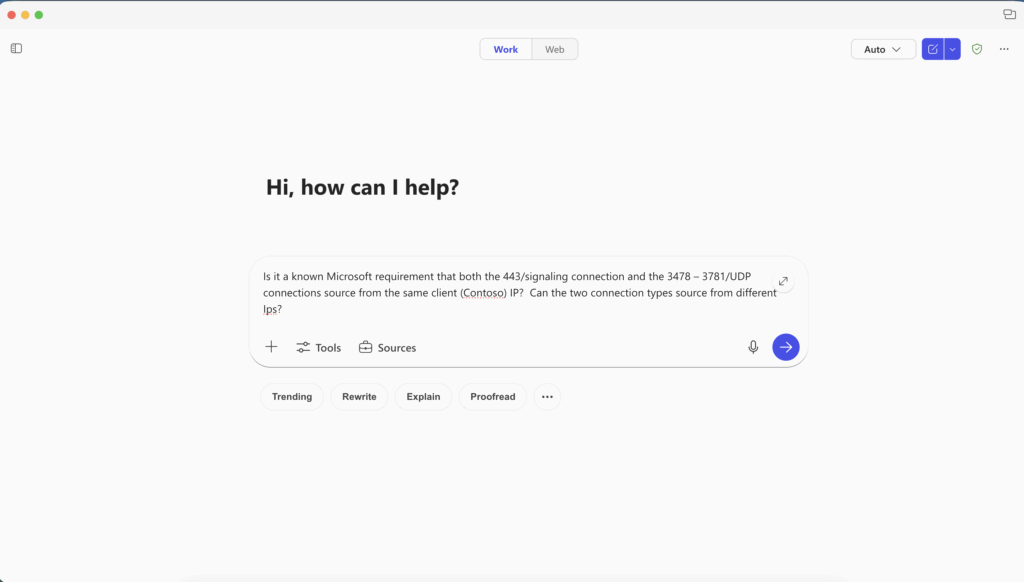
And Microsoft Copilot would respond in a thoughtful way, reasoning over my question and even finding the typo (did you find it? the ports are 3478-3481 – not 3781). This is just one simple part of the response from Copilot.
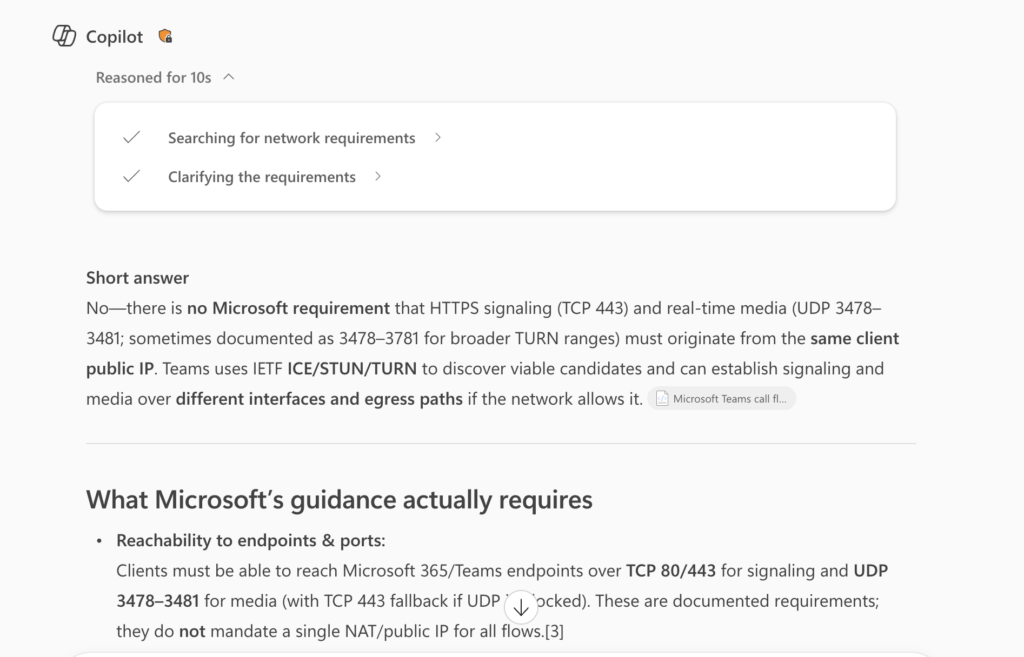
I had already answered the question, but, to help back me up and provide useful URLs for further reading, it’s nice to use the reasoning engine(s) to make sure I give more complete answers. During this onsite engagement, I told Contoso very clearly when I was using Copilot to help supplement and back-up my own answers. They were just getting started on their Copilot journey so it was useful to show them how I personally use the product in my day-today.
When relevant, I copied-pasted some of the output from Copilot into a Teams Chat we were using to collaborate throughout the day. That was helpful to supplement the in-room conversations with some takeaway information to be used when I flew back home to Kentucky.
Let’s fast forward to the end of the day. We covered all of our topics. I had shared some of our information but some of it I wanted to collate all together into amore “formal” set of Homework and takeaways to share with the full set of Contoso stakeholders. We agreed and I flew home.
My Homework – Copilot Summaries
When I got home, I started on my homework. I took the original email, with the bulleted agenda I shared above, and started to reply to the email. I am a tech guy. I like bullet points. So, I took time to provide a formal set of answers (including reference emails) to that agenda. When I got done, the email was like 8 pages long. 8 pages. Wow! That’s unreasonable. No one will read an 8 page email. Now what?
Copilot, duh! 🙂
I started with a prompt: “I had a customer meeting with Contoso. The original agenda is at the bottom of this text following “meeting agenda” and I provided a lengthy response to each agenda topic. Please format this is a standard/common way. This is a long email. What’s the best way to get this detail to everyone?” and then I did a full copy-paste of the 8 page email.
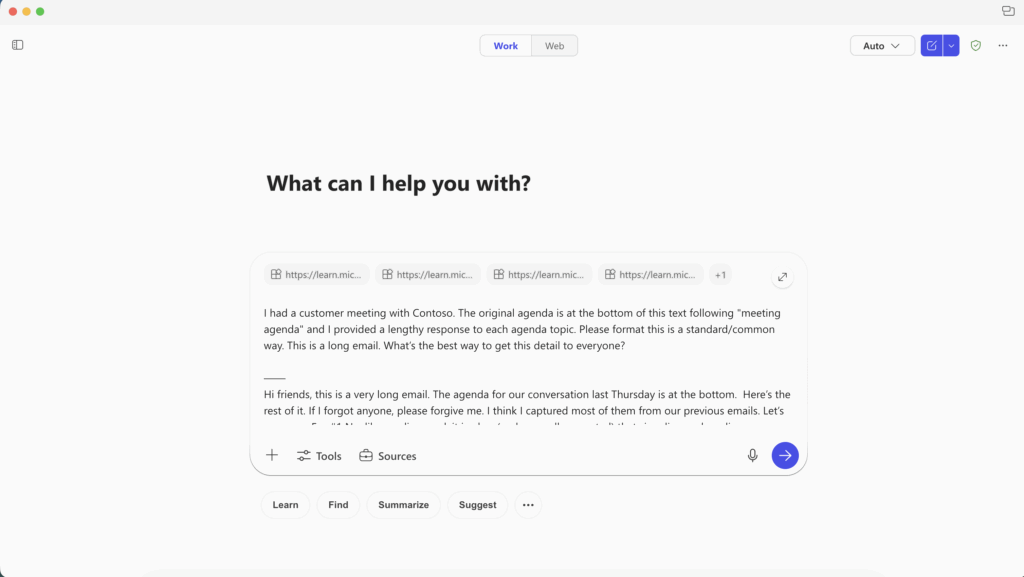
and this is the START of how Copilot replied
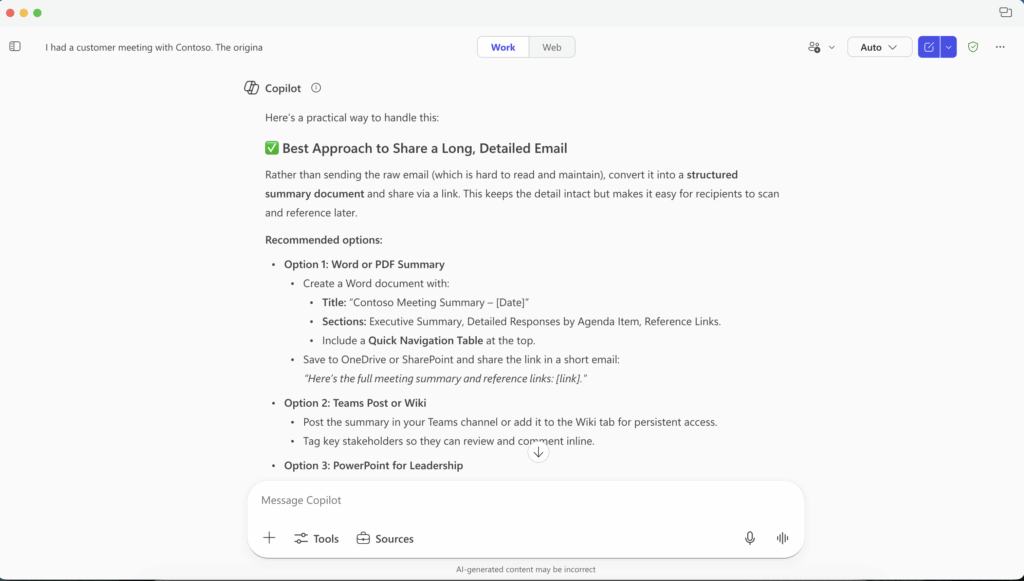
I then asked Copilot to create a summary document I could use to prepare my homework in a more structured way. It replied like this:
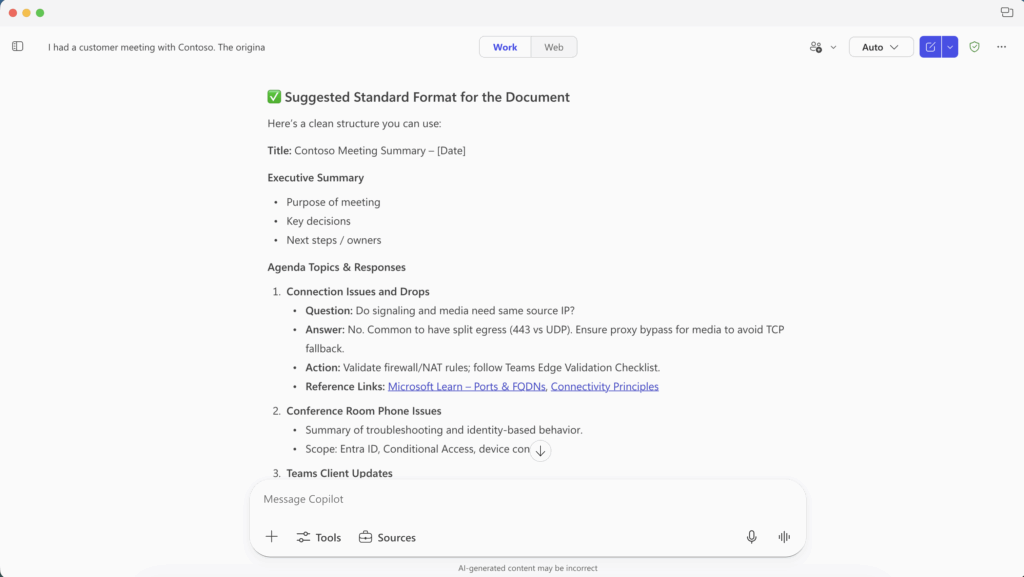
That was a written summary which was helpful. But, not exactly what I was looking for. I definitely wanted a short executive summary, but, I also wanted to include the depth of my answer – but – 8 pages was terrible. So, I consulted with a friend. She suggested a two-prong approach. A simple executive summary I could use as the email response and then attach a PDF with all of the details. That gives a short email response and then the details for those technical people at Contoso who cared to read it and implement the suggestions as discussed. This was a good plan. Back to Copilot.
I prompted Copilot: “Generate a Word-ready version with headings and tables” – I would use this to create the executive summary and then use the headings to plop in a lot of the content I had already created.
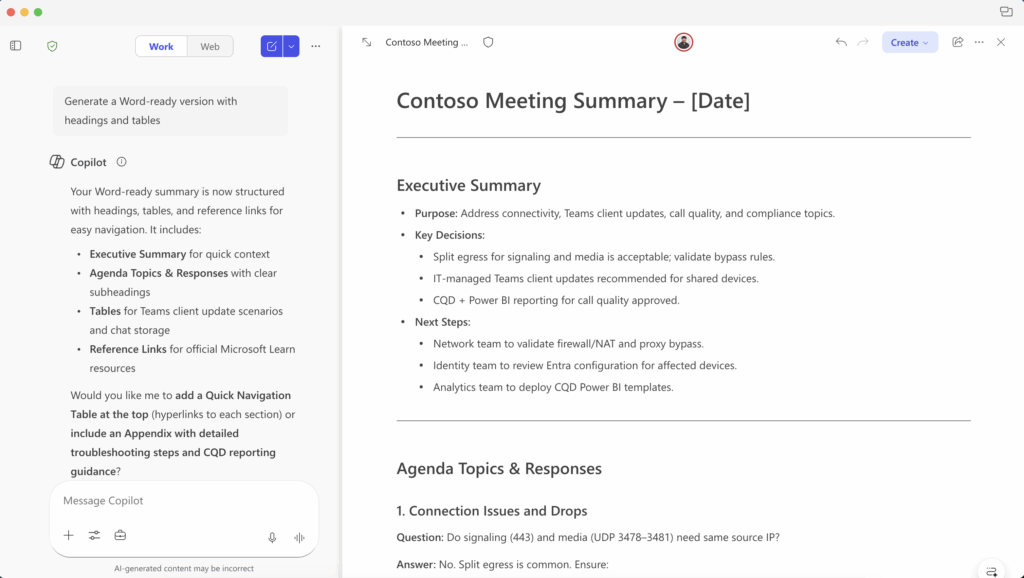
Excellent. Bones. Good start!
Over the next few hours, I played a bit with different prompting and different summaries to create what I wanted. I had the executive summary. I had the content. But, I wanted it in a two-part way 1) Executive Summary and 2) Appendix of detail. So, let’s see what Copilot can do with that.
I prompted Copilot: “create the appendix with proper formatting” just to see what it would do.
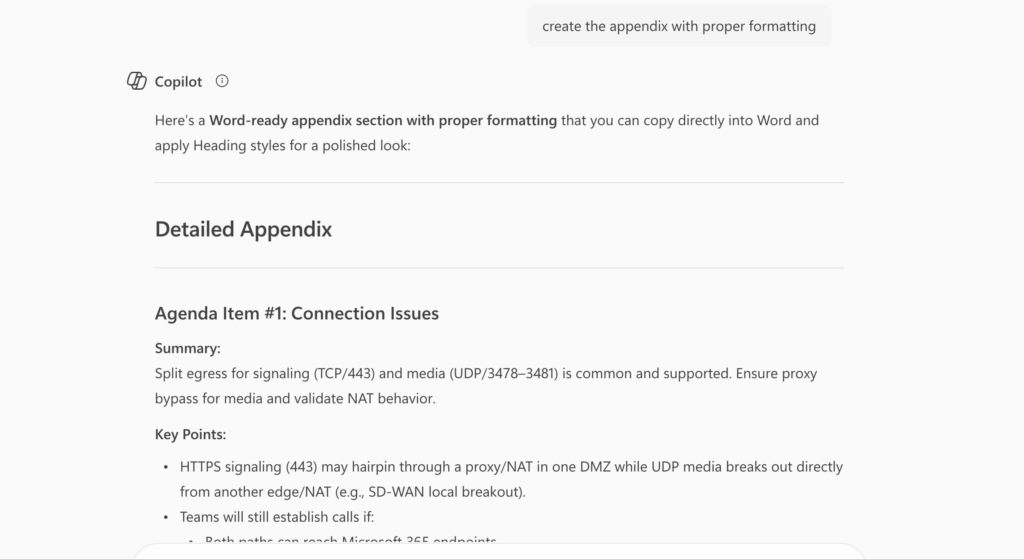
Excellent. This is getting good. I spend another hour-ish editing data and formatting to fit my voice. And then I’m ready to send it.
Homework Sent
I copied/pasted the Executive Summary into my email response to the customer, they sent me the agenda in email. I replied-all and copied the summary like this:
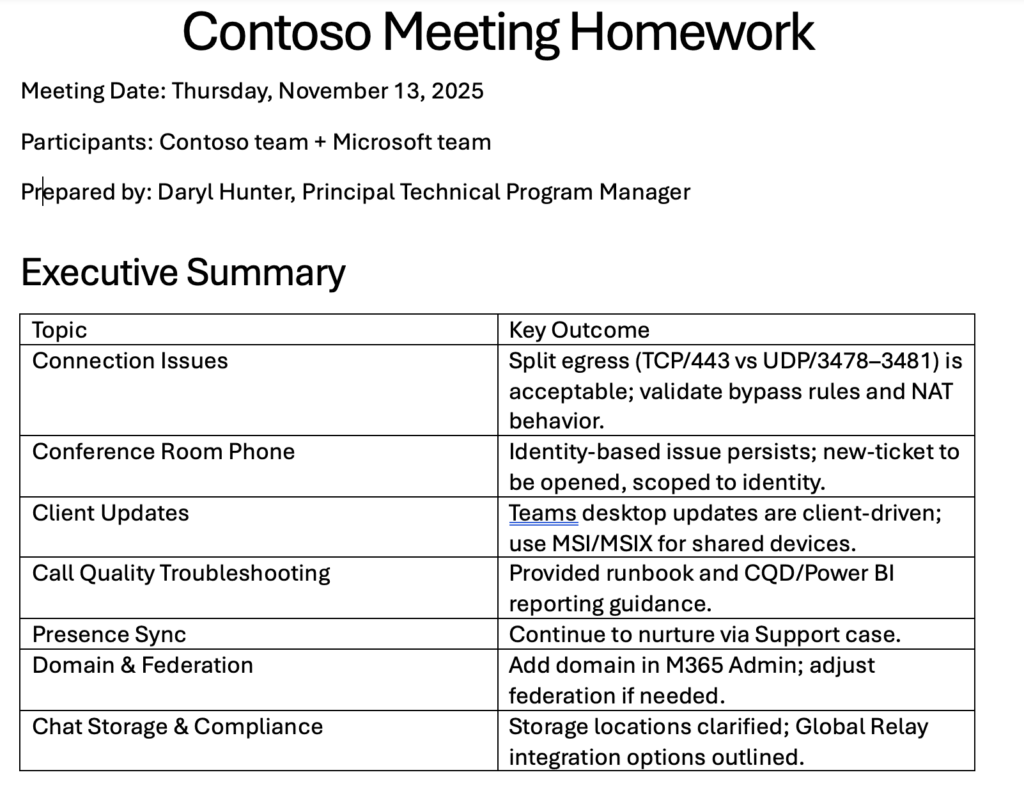
and then I said something like “I’ve attached a detailed version of this in PDF form that (stakeholder list) can use to action what we discussed.” At the next customer sync I asked how the homework was received and they liked it. They appreciated the summary (they used it to communicate to their own executive stakeholders) and they appreciated the details they could use for some change management needed to implement a few things needed.
Here’s the full PDF if you’d like to read it to see how it looked at the end.
Wrap Up – Learnings
It’s really hard to summarize all the things I learned in this exercise. In many ways, I’ve been doing this my entire career. I can usually gain trust and lead customers from here to there pretty easily. Sometimes things get spicy, but, I can usually get us back on track and refocused along the way. This customer was great to work with. They had some hard questions, and I had to repeat myself a few times, but, this is normal. It’s a lot to absorb. I did get the feedback that I was repeating myself, so, I used Copilot a few different ways to add humor, or maybe add more executive voice to rephrase and reframe my answers. That was very helpful.
Probably the biggest thing I learned and took away was to use Copilot to 1) ideate and 2) create frameworks. I had the answers I wanted to give. It was 8 pages. That’s unreasonable. Asking Copilot to put this in a more succinct, and clear topic/reference format really helped me get across the main things I wanted to say in a better way that ended up being WAY BETTER to digest for my customer!
That’s it. That’s where I will leave it today. I hope this is helpful for someone as you think about some real-talk and real-world experiences of how you can use an AI tool like Microsoft Copilot in your daily life.
1 thought on “My Sandbox 365: Copilot – Customer Visit Followup”
Comments are closed.