Hi friends! Welcome back! Across the past several weeks, interest in Copilot Cowork has accelerated significantly across our customer base. As Cowork has rolled out the last 10 days or so, we have seen a lot of questions. We also have seen a number of support cases that aren’t related to product defects – they’re misunderstandings about Frontier itself.
I wanted to take a shot at demystifying some of this. I’m also going to share some learnings from my colleague Joe who wrote a great document for a customer of ours that I’m scrubbing for this post. Let’s get started.
What is Copilot Cowork anyway?
You can read more on our announcement blog, but the short version is that Copilot Cowork is the foundation behind long‑running, multi‑step work inside Microsoft 365.
When a user hands off a task to Cowork:
- The request is converted into a structured plan
- That plan continues execution in the background
- Checkpoints are surfaced so the user can:
- confirm progress
- pause execution
- make mid‑stream changes
- approve recommended actions before they are applied
Rather than returning a single response to a prompt, Cowork introduces agentic execution — enabling Copilot to persistently work through longer workflows using enterprise context such as Work IQ and Microsoft 365 data integrations. Some examples on the blog might be cleaning up your calendar, cleaning up your meetings, or even doing heavy research for an upcoming customer meeting.
Okay, so what is Frontier?
The Frontier program is an:
“early‑access, experimental opportunity that enables customers and partners to try AI capabilities and Copilot agents before they are formally launched and generally available.”
This distinction is critical. Frontier features:
- are opt‑in
- are not GA
- may produce inconsistent experiences
- may require tenant configuration changes before availability
- may appear for some users but not others inside the same tenant
Customers should therefore expect enablement and runtime behavior to differ from production Copilot features. So, Frontier is not:
- a production SLA‑backed feature set
- enabled automatically with Microsoft 365 Copilot licensing
- available for all tenant users by default
- governed by standard rollout expectations
Frontier is an explicit admin‑enabled early access environment. It can be scoped to:
- everyone in the tenant
- or selected users / security groups
Which means user access issues are frequently resolved through tenant configuration rather than product escalation.
How do I turn on Cowork?
From a Microsoft 365 Admin Center perspective, Cowork enablement requires following a number of steps in the Microsoft 365 Admin Center (MAC) -> https://admin.cloud.microsoft
Navigate to MAC -> Copilot -> Settings -> View all
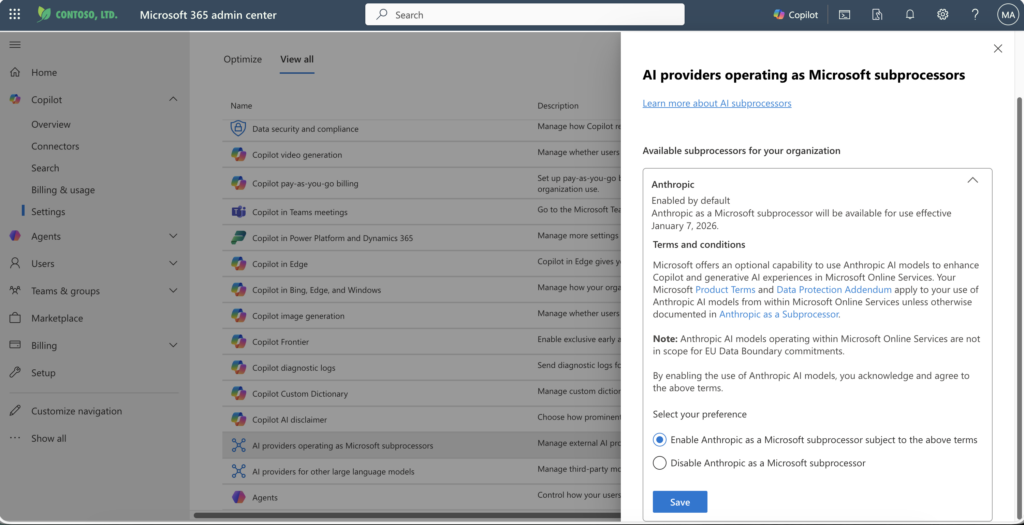
Click on AI providers operating as Microsoft subprocessors and make sure Anthropic is enabled
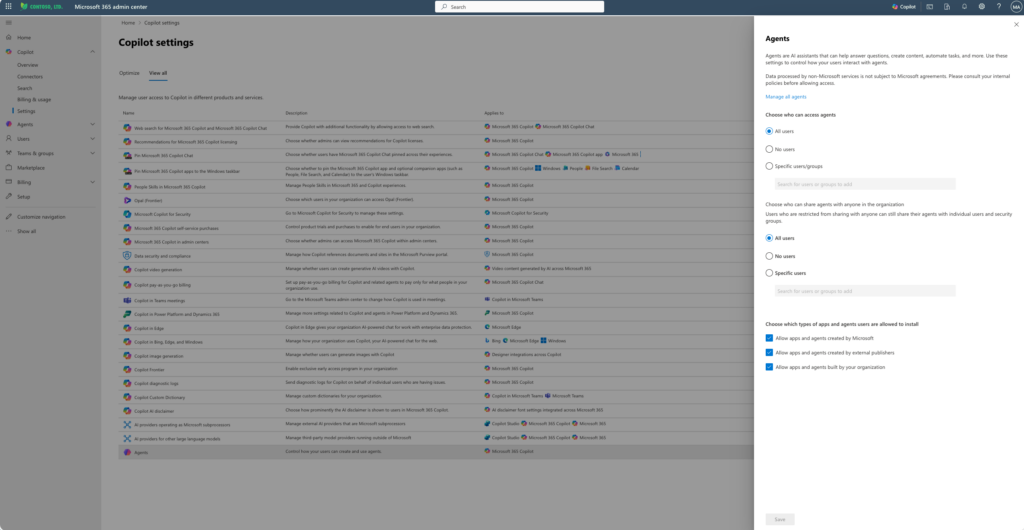
Click on Agents and make sure your choices for Agent availability are as you expect
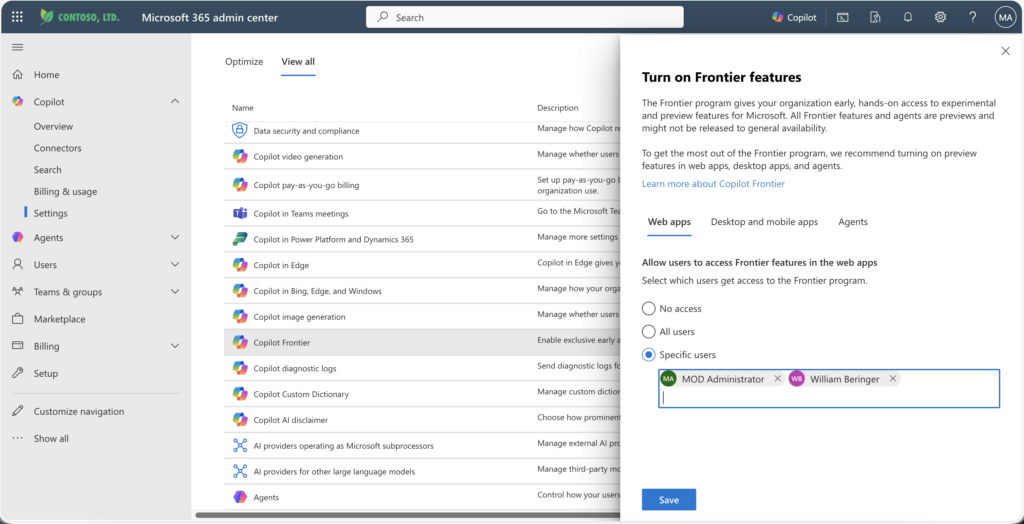
Click on Copilot Frontier and make sure you have enabled Frontier for the set of users that you expect
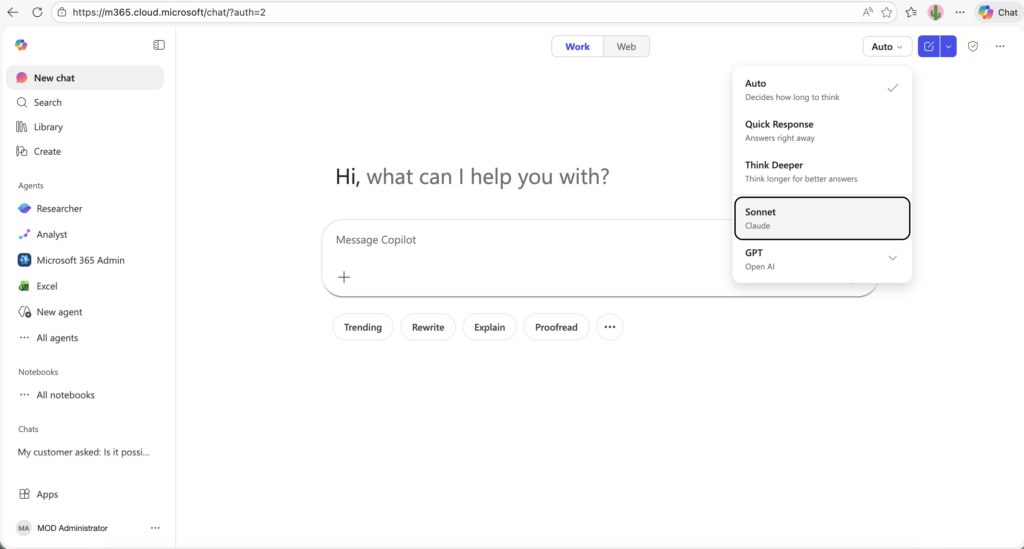
Make sure that these users can see Anthropic as part of their work. In Copilot Chat, from a New Chat, click the (auto) button and ensure they can see Claude Sonnet model.
Navigate to MAC -> Agents -> All Agents
Select the Cowork (Frontier) agent and ensure the users you expect have permission
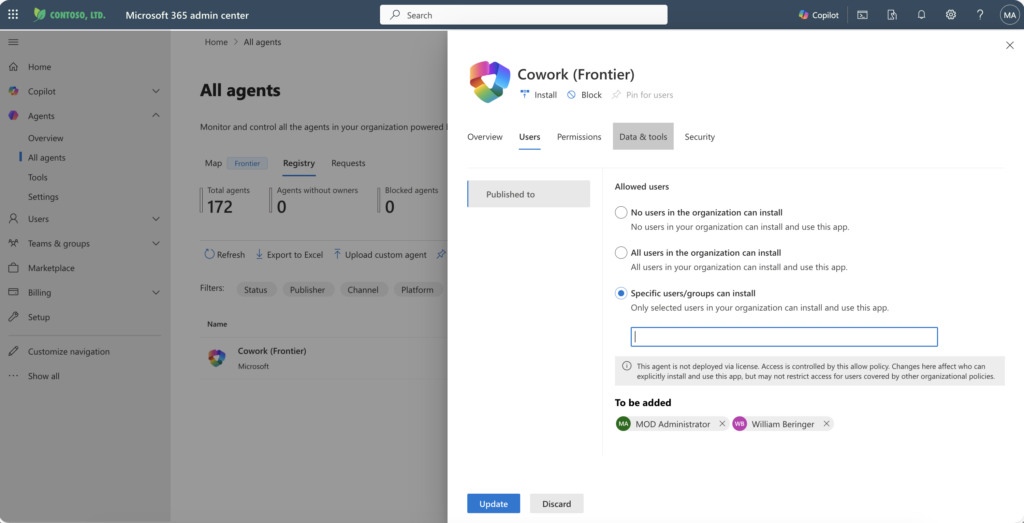
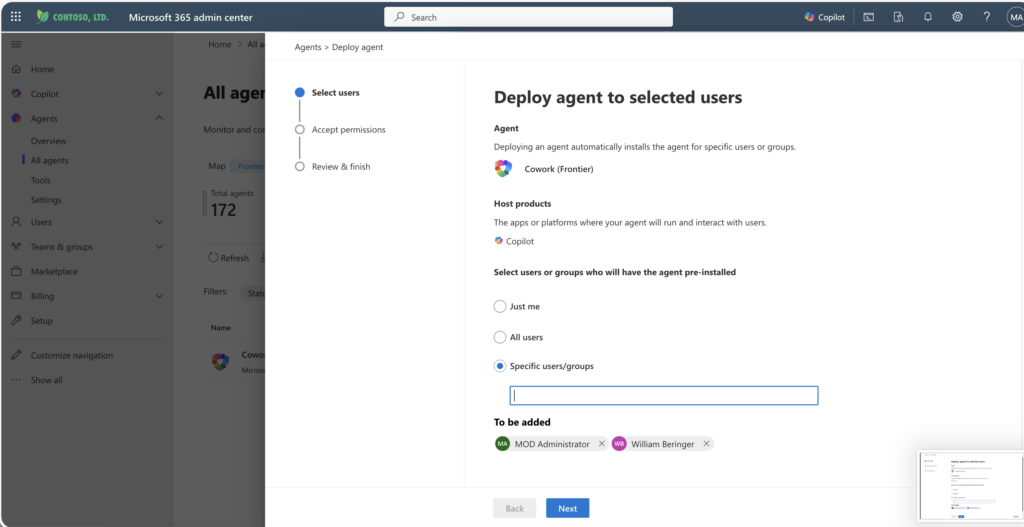
Deploy it to the set of users that you expect
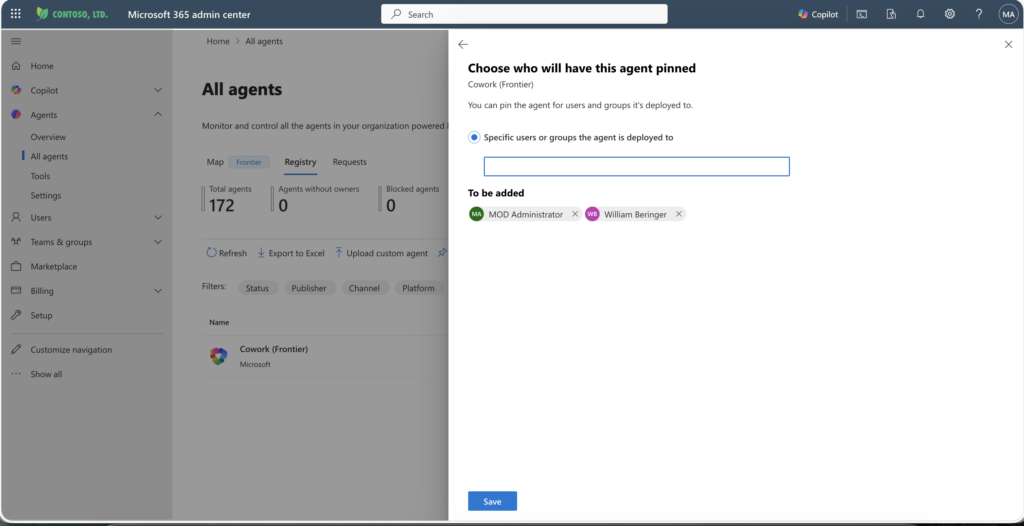
Optionally, pin it to a set of users
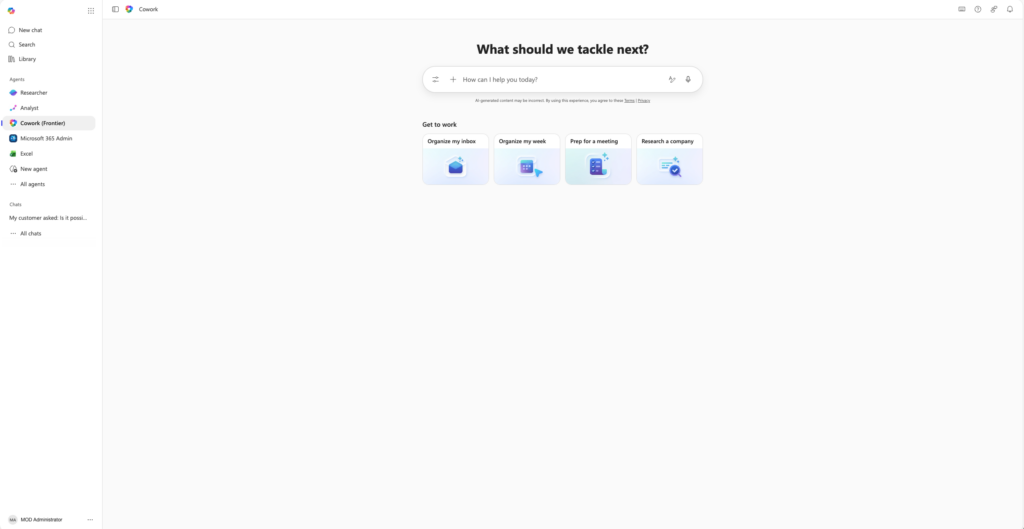
Now give it a “Microsoft Minute” and you should see Cowork as a pinned Agent in Copilot Chat
Trust, but Verify
Common Cowork troubleshooting outcomes have found:
- Admins not validating Frontier enablement inside MAC
- Agents installed but scoped to incorrect security groups
- Users expecting GA‑like availability timelines
Do yourself a favor! Work with your Microsoft 365 Admins to ensure they’ve properly configured your environment before you open a support case. Most likely there is a simple solution.
What if I have Feedback?
Customers and field teams have two primary feedback paths for Cowork:
- In‑App Feedback
- Thumbs‑down responses inside Copilot Chat are actively monitored by PG
- Microsoft Learn Feedback Channel
- Follow the Cowork Frontier Learn Article for structured feedback submission
Wrap Up
Cowork represents a shift from prompt‑response Copilot interactions toward long‑running, agentic execution.
But because Cowork exists today within Frontier — an opt‑in, non‑GA early‑access program — success depends less on runtime troubleshooting and more on:
- tenant configuration
- expectation setting
- scoped user rollout
- and structured feedback loops
Taking these steps up‑front can reduce unnecessary friction and questions and frustration. Do future you a favor! Take time to read, engage with your M365 Admin, and then give Cowork a try! I can’t wait to see what you build and how you regain hours in your day with enhanced productivity!